
CSS Variables: Modern Solutions for Style Management
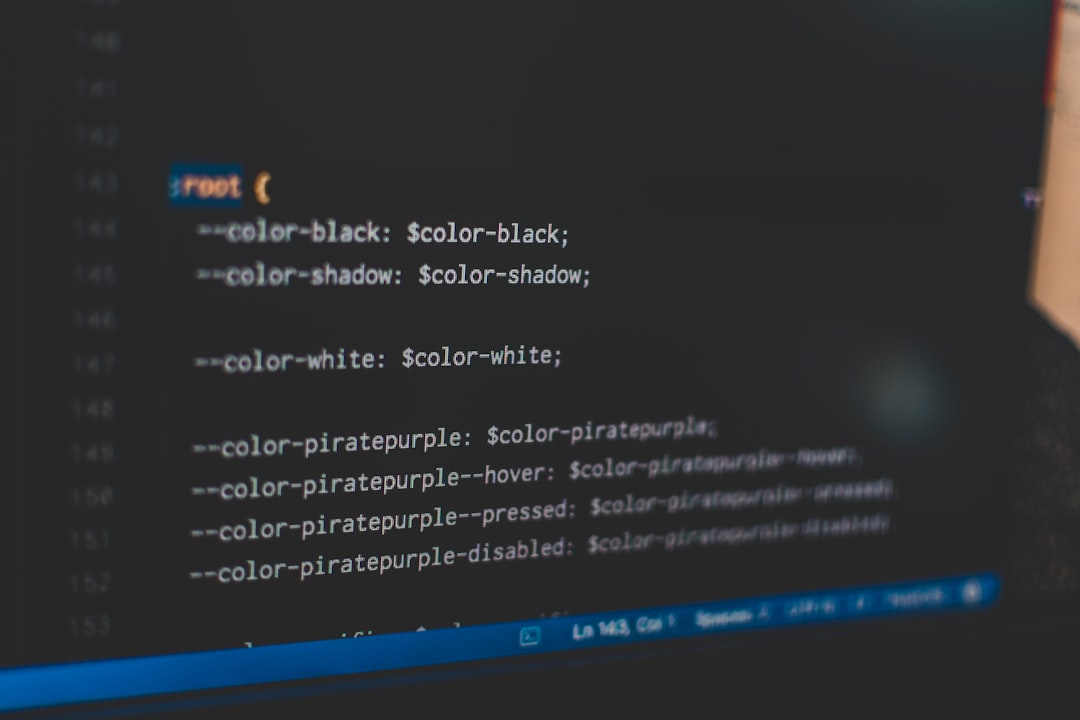
Understanding CSS Variables
In programming languages, we're used to storing and reusing values with variables. If we need to change a color used in multiple places, we just modify the variable definition. CSS Variables (officially known as CSS Custom Properties) bring this concept to the world of stylesheets.
Imagine you're decorating multiple rooms in a building. If each room uses the same blue paint color, the traditional approach is to remember this color value (like #3498db) and write it on each room's decoration list. If you later decide to switch to green, you have to modify each list individually. Using variables is like setting a "primary color" label at headquarters - all rooms reference this label, and when you want to change colors, you only need to update this label.
CSS Variables allow us to define values in one place and reuse them throughout the stylesheet. Even more powerful, these variables can be dynamically modified via JavaScript at runtime and support inheritance and cascading, making theme switching and responsive adjustments incredibly simple.
Basic CSS Variable Syntax
Defining Variables
CSS Variables are defined with the -- prefix, typically in the :root selector for global variables:
:root {
  /* Color variables */
  --primary-color: #3498db;
  --secondary-color: #2ecc71;
  --text-color: #333333;
  --background-color: #ffffff;

  /* Spacing variables */
  --spacing-small: 8px;
  --spacing-medium: 16px;
  --spacing-large: 24px;

  /* Font variables */
  --font-size-base: 16px;
  --font-size-large: 20px;
  --font-family-base: "Arial", sans-serif;

  /* Border variables */
  --border-radius: 4px;
  --border-width: 1px;
}The :root pseudo-class represents the document's root element (the <html> element in HTML), and variables defined here can be used throughout the document. This is like setting unified standards at company headquarters that all departments can access.
Using Variables
Use the var() function to reference variables:
.button {
  background-color: var(--primary-color);
  color: var(--text-color);
  padding: var(--spacing-medium);
  border-radius: var(--border-radius);
  font-size: var(--font-size-base);
}

.card {
  background-color: var(--background-color);
  padding: var(--spacing-large);
  border: var(--border-width) solid var(--primary-color);
  border-radius: var(--border-radius);
}Now, if you need to modify the primary color, you only need to change the --primary-color value, and all places using this variable will automatically update.
Variable Fallback Values
The var() function can accept a second parameter as a fallback value, used when the variable is undefined:
.element {
  /* Use #999 if --custom-color is undefined */
  color: var(--custom-color, #999);

  /* Fallback can also be another variable */
  background: var(--bg-color, var(--primary-color));

  /* Even complex values work */
  box-shadow: var(--shadow, 0 2px 4px rgba(0, 0, 0, 0.1));
}This is like providing a default option for each setting - if a custom configuration isn't found, this safe default value is used.
Variable Scope and Inheritance
CSS Variables follow cascade and inheritance rules, making them more flexible than preprocessor variables (like Sass variables).
Local Scope
Variables can be defined in any selector, with their scope limited to that selector and its descendants:
:root {
  --primary-color: #3498db;
}

.dark-section {
  /* Redefine variables in this area */
  --primary-color: #2c3e50;
  --text-color: #ecf0f1;
}

.button {
  /* In regular areas, use global #3498db */
  /* In .dark-section, use local #2c3e50 */
  background-color: var(--primary-color);
  color: var(--text-color);
}This is like each department having its own special rules that override company-wide regulations. When a button is in a regular area, it uses the global color; when in a dark area, it automatically uses the dark theme color, without needing additional class names or styles.
Practical Application Example
<div class="page">
  <section class="hero">
    <button class="button">Regular Button</button>
  </section>

  <section class="dark-section">
    <button class="button">Dark Area Button</button>
  </section>
</div>:root {
--primary-color: #3498db;
--text-color: #333;
--button-padding: 12px 24px;
}
.dark-section {
--primary-color: #2c3e50;
--text-color: #ecf0f1;
}
.button {
background-color: var(--primary-color);
color: var(--text-color);
padding: var(--button-padding);
border: none;
border-radius: 4px;
cursor: pointer;
}In this example, both buttons use the exact same .button class, but because they're in different contexts, they automatically apply different colors. This capability is incredibly valuable for theme switching and component reuse.
Theme Switching in Practice
One of the most powerful applications of CSS Variables is implementing theme switching.
Defining Multiple Themes
/* Default theme (light) */
:root {
  --bg-primary: #ffffff;
  --bg-secondary: #f5f5f5;
  --text-primary: #333333;
  --text-secondary: #666666;
  --border-color: #dddddd;
  --primary-color: #3498db;
  --success-color: #2ecc71;
  --warning-color: #f39c12;
  --danger-color: #e74c3c;
}

/* Dark theme */
[data-theme="dark"] {
  --bg-primary: #1a1a1a;
  --bg-secondary: #2d2d2d;
  --text-primary: #f0f0f0;
  --text-secondary: #a0a0a0;
  --border-color: #404040;
  --primary-color: #5dade2;
  --success-color: #52be80;
  --warning-color: #f8c471;
  --danger-color: #ec7063;
}

/* Apply theme variables */
body {
  background-color: var(--bg-primary);
  color: var(--text-primary);
}

.card {
  background-color: var(--bg-secondary);
  border: 1px solid var(--border-color);
  color: var(--text-primary);
}

.button-primary {
  background-color: var(--primary-color);
  color: white;
}

.button-success {
  background-color: var(--success-color);
  color: white;
}JavaScript Theme Switching Control
<button id="theme-toggle">Switch Theme</button>

<script>
  const themeToggle = document.getElementById("theme-toggle");
  const html = document.documentElement;

  // Read saved theme from local storage
  const savedTheme = localStorage.getItem("theme") || "light";
  html.setAttribute("data-theme", savedTheme);

  themeToggle.addEventListener("click", () => {
    const currentTheme = html.getAttribute("data-theme");
    const newTheme = currentTheme === "dark" ? "light" : "dark";

    html.setAttribute("data-theme", newTheme);
    localStorage.setItem("theme", newTheme);
  });
</script>This implementation is incredibly clean: we just switch the data-theme attribute, and CSS Variables automatically recalculate - all styles using these variables update immediately without needing to modify individual element class names or styles.
Applications in Responsive Design
CSS Variables can be redefined in media queries for responsive adjustments:
:root {
  /* Default mobile sizes */
  --container-width: 100%;
  --font-size-h1: 24px;
  --font-size-h2: 20px;
  --font-size-body: 14px;
  --spacing: 16px;
  --grid-columns: 1;
}

/* Tablet devices */
@media (min-width: 768px) {
  :root {
    --container-width: 750px;
    --font-size-h1: 32px;
    --font-size-h2: 24px;
    --font-size-body: 16px;
    --spacing: 24px;
    --grid-columns: 2;
  }
}

/* Desktop devices */
@media (min-width: 1024px) {
  :root {
    --container-width: 1000px;
    --font-size-h1: 40px;
    --font-size-h2: 28px;
    --font-size-body: 16px;
    --spacing: 32px;
    --grid-columns: 3;
  }
}

/* Large screens */
@media (min-width: 1280px) {
  :root {
    --container-width: 1200px;
    --font-size-h1: 48px;
    --font-size-h2: 32px;
    --spacing: 40px;
    --grid-columns: 4;
  }
}

/* Apply these variables */
.container {
  max-width: var(--container-width);
  padding: var(--spacing);
}

h1 {
  font-size: var(--font-size-h1);
}

h2 {
  font-size: var(--font-size-h2);
}

.grid {
  display: grid;
  grid-template-columns: repeat(var(--grid-columns), 1fr);
  gap: var(--spacing);
}The advantage of this approach is that the component styles remain very concise, with all responsive logic concentrated in variable definitions. If you need to adjust breakpoints or sizes, you only need to modify one place.
JavaScript Dynamic Manipulation
CSS Variables can be dynamically read and modified via JavaScript:
// Get variable value
const root = document.documentElement;
const primaryColor = getComputedStyle(root).getPropertyValue("--primary-color");
console.log(primaryColor); // "#3498db"

// Set variable value
root.style.setProperty("--primary-color", "#e74c3c");

// Remove variable
root.style.removeProperty("--primary-color");

// Set variables on specific elements
const card = document.querySelector(".card");
card.style.setProperty("--custom-bg", "#f0f0f0");Practical: Dynamic Color Picker
<div class="color-picker">
  <label>Select Primary Color:</label>
  <input type="color" id="primary-picker" value="#3498db" />

  <label>Select Background Color:</label>
  <input type="color" id="bg-picker" value="#ffffff" />
</div>

<div class="preview">
  <h2>Preview Effect</h2>
  <button class="button">Button Example</button>
  <p>This is text content</p>
</div>

<script>
  const root = document.documentElement;
  const primaryPicker = document.getElementById("primary-picker");
  const bgPicker = document.getElementById("bg-picker");

  primaryPicker.addEventListener("input", (e) => {
    root.style.setProperty("--primary-color", e.target.value);
  });

  bgPicker.addEventListener("input", (e) => {
    root.style.setProperty("--bg-primary", e.target.value);
  });
</script>This example shows how to let users customize website colors in real-time. Every time a color changes, all elements using these variables update immediately without needing to refresh the page or recalculate styles.
Advanced Techniques
Calculated Variables
CSS Variables can be combined with the calc() function:
:root {
  --base-size: 16px;
  --scale-ratio: 1.5;
}

h1 {
  /* Calculate heading size: base size × scale ratio cubed */
  font-size: calc(
    var(--base-size) * var(--scale-ratio) * var(--scale-ratio) * var(--scale-ratio)
  );
}

h2 {
  /* H2: base size × scale ratio squared */
  font-size: calc(var(--base-size) * var(--scale-ratio) * var(--scale-ratio));
}

h3 {
  /* H3: base size × scale ratio */
  font-size: calc(var(--base-size) * var(--scale-ratio));
}By adjusting the --scale-ratio, you can easily change the entire typography system's scaling ratio.
Conditional Variable Techniques
Although CSS Variables don't support conditional logic themselves, similar effects can be achieved through clever techniques:
.element {
  --is-dark: 0;

  /* Use variables to control transparency */
  background-color: rgba(255, 255, 255, calc(1 - var(--is-dark)));
  color: rgba(0, 0, 0, calc(1 - var(--is-dark)));
}

.element.dark-mode {
  --is-dark: 1;
}Namespace Organization
For large projects, it's recommended to use namespaces to organize variables:
:root {
  /* Color system */
  --color-primary: #3498db;
  --color-secondary: #2ecc71;
  --color-accent: #e74c3c;

  /* Spacing system */
  --space-xs: 4px;
  --space-sm: 8px;
  --space-md: 16px;
  --space-lg: 24px;
  --space-xl: 32px;

  /* Typography system */
  --type-scale-1: 0.75rem;
  --type-scale-2: 0.875rem;
  --type-scale-3: 1rem;
  --type-scale-4: 1.125rem;
  --type-scale-5: 1.25rem;

  /* Animation system */
  --anim-duration-fast: 150ms;
  --anim-duration-normal: 300ms;
  --anim-duration-slow: 500ms;
  --anim-easing: cubic-bezier(0.4, 0, 0.2, 1);
}This naming convention makes the purpose of variables clear at a glance and facilitates team collaboration and maintenance.
Browser Compatibility
CSS Variables have good support in modern browsers:
- Chrome 49+
- Firefox 31+
- Safari 9.1+
- Edge 15+
For unsupported older browsers, provide fallback solutions:
.element {
  /* Fallback: write value directly */
  background-color: #3498db;
  /* Browsers that support variables will override the above value */
  background-color: var(--primary-color);
}Or use PostCSS plugins for build-time processing:
// postcss.config.js
module.exports = {
  plugins: [
    require("postcss-custom-properties")({
      preserve: true, // Keep variable declarations
    }),
  ],
};Common Issues
Debugging When Variables Don't Work
If variables aren't taking effect, check these points:
- Spelling errors: Variable names are case-sensitive
- Scope issues: Ensure variables are defined and used in the correct scope
- Syntax errors: Check if
var()function syntax is correct - Inheritance issues: Some properties don't inherit and need explicit setting
/* Error example */
:root {
  --primray-color: red; /* Spelling error */
}

.element {
  color: var(--primary-color); /* Variable not found */
}

/* Correct example */
:root {
  --primary-color: red;
}

.element {
  color: var(--primary-color);
}Performance Considerations
CSS Variables perform very well, but keep in mind:
- Avoid excessive nesting: While variables support deep inheritance, overuse can increase computational complexity
- Use JavaScript operations judiciously: Frequently modifying variables with JS can affect performance
- Batch updates: If modifying multiple variables, it's best to complete them all at once
// Not recommended: Multiple triggers of repaints
root.style.setProperty("--color-1", "#fff");
root.style.setProperty("--color-2", "#000");
root.style.setProperty("--color-3", "#ccc");

// Recommended: Use class switching
root.classList.add("theme-dark");Summary
CSS Variables have revolutionized style management. They not only make code more maintainable but also enable many previously impossible possibilities:
- Theme switching becomes simple and direct
- Responsive design is more flexible
- JavaScript integration is seamless
- Component reuse is more convenient
Compared to preprocessor variables, the advantages of CSS Variables include:
- Can be modified at runtime
- Inheritance and cascade features
- No compilation needed to use
- Can be manipulated via JavaScript
Mastering CSS Variables means mastering the key tools for building modern, flexible, maintainable style systems. They have become an indispensable part of modern frontend development.