
Next.js Introduction and Core Concepts: React Full-Stack Development Framework
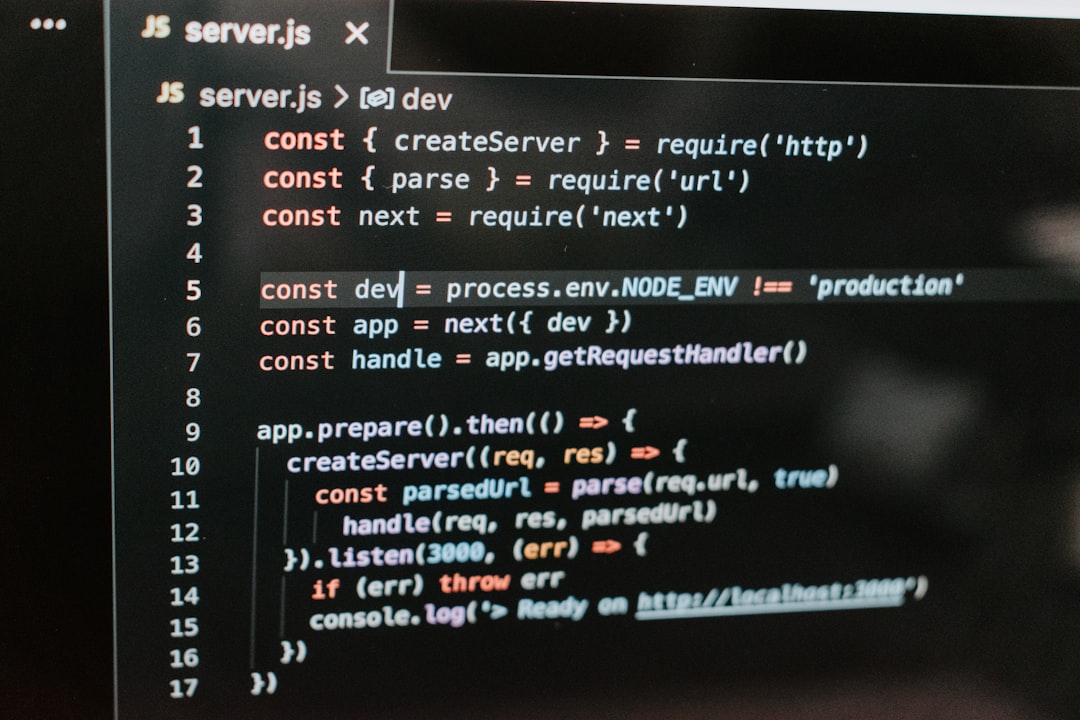
What is Next.js?
Next.js is a React full-stack framework developed by Vercel, providing production-ready features and optimized development experience for React applications. The core philosophy of Next.js is to enable developers to easily build high-performance, SEO-friendly web applications while maintaining React development simplicity and flexibility.
Imagine you're developing an e-commerce website using regular React. You need to consider many complex issues: How to make search engines properly crawl page content? How to make pages load faster? How to handle API requests? How to implement code splitting? All these problems have ready-made solutions in Next.js.
<!-- Traditional SPA Application Issues -->
<!DOCTYPE html>
<html>
  <head>
    <title>My Store</title>
  </head>
  <body>
    <div id="root"></div>
    <!-- Empty div, waiting for JavaScript to load and render -->
    <script src="bundle.js"></script>
  </body>
</html>

<!-- Next.js Rendered Result -->
<!DOCTYPE html>
<html>
  <head>
    <title>iPhone 15 - My Store</title>
    <meta name="description" content="Latest iPhone 15, limited-time offer" />
  </head>
  <body>
    <div>
      <h1>iPhone 15</h1>
      <p>Price: $699</p>
      <button>Buy Now</button>
    </div>
    <!-- Content already rendered, no need to wait for JavaScript -->
  </body>
</html>Core Features of Next.js
1. Hybrid Rendering Modes
One of Next.js's most powerful features is support for multiple rendering modes, which can be flexibly used within the same application:
Server-Side Rendering (SSR): Generate pages on the server for each request
// pages/products/[id].js
function ProductPage({ product }) {
  return (
    <div>
      <h1>{product.name}</h1>
      <p>Price: ${product.price}</p>
      {/* Dynamic information like price is re-fetched on each request */}
    </div>
  );
}

export async function getServerSideProps({ params }) {
  // Executes on every request
  const product = await getProduct(params.id);

  return {
    props: { product },
  };
}Static Site Generation (SSG): Pre-generate pages at build time
// pages/blog/[slug].js
function BlogPost({ post }) {
  return (
    <article>
      <h1>{post.title}</h1>
      <div>{post.content}</div>
    </article>
  );
}

export async function getStaticProps({ params }) {
  // Executes once at build time
  const post = await getPostBySlug(params.slug);

  return {
    props: { post },
  };
}

export async function getStaticPaths() {
  // Get all possible paths at build time
  const posts = await getAllPosts();
  const paths = posts.map((post) => ({
    params: { slug: post.slug },
  }));

  return { paths, fallback: false };
}Incremental Static Regeneration (ISR): Regenerate static pages on-demand
export async function getStaticProps() {
  const posts = await getLatestPosts();

  return {
    props: { posts },
    revalidate: 60, // Regenerate every 60 seconds
  };
}2. File System Routing
Next.js uses the file system to automatically define routes without additional routing configuration:
// File structure automatically maps to routes
pages/
├── index.js              -> /
├── about.js              -> /about
├── blog/
│   ├── index.js          -> /blog
│   ├── [slug].js        -> /blog/:slug
│   └── [...slug].js     -> /blog/:slug*
├── api/
│   ├── users.js          -> /api/users
│   └── posts/
│       └── [id].js       -> /api/posts/:id
└── dashboard/
    ├── index.js          -> /dashboard
    └── settings/
└── profile.js -> /dashboard/settings/profile3. API Routes
Next.js allows you to create API endpoints within the same project:
// pages/api/users.js
export default function handler(req, res) {
  if (req.method === 'GET') {
    // Get user list
    const users = [
      { id: 1, name: 'Alex Johnson', email: '[email protected]' },
      { id: 2, name: 'Sarah Williams', email: '[email protected]' },
    ];

    res.status(200).json(users);
  } else if (req.method === 'POST') {
    // Create new user
    const { name, email } = req.body;

    // Database operation should go here
    const newUser = { id: Date.now(), name, email };

    res.status(201).json(newUser);
  } else {
    res.setHeader('Allow', ['GET', 'POST']);
    res.status(405).end(`Method ${req.method} Not Allowed`);
  }
}

// pages/api/posts/[id].js
export default async function handler(req, res) {
  const { id } = req.query;

  switch (req.method) {
    case 'GET':
      const post = await getPostById(id);
      res.status(200).json(post);
      break;

    case 'PUT':
      const updatedPost = await updatePost(id, req.body);
      res.status(200).json(updatedPost);
      break;

    case 'DELETE':
      await deletePost(id);
      res.status(204).end();
      break;

    default:
      res.setHeader('Allow', ['GET', 'PUT', 'DELETE']);
      res.status(405).end(`Method ${req.method} Not Allowed`);
  }
}4. Built-in Optimization Features
Automatic Code Splitting:
import { useState } from "react";
import dynamic from "next/dynamic";

// Dynamically import heavy component
const HeavyChart = dynamic(() => import("../components/HeavyChart"), {
  loading: () => <p>Loading chart...</p>,
  ssr: false, // Render only on client side
});

function Dashboard() {
  const [showChart, setShowChart] = useState(false);

  return (
    <div>
      <h1>Dashboard</h1>
      <button onClick={() => setShowChart(true)}>Show Chart</button>

      {showChart && <HeavyChart />}
    </div>
  );
}Image Optimization:
import Image from "next/image";

function ProductGallery() {
  return (
    <div>
      {/* Automatically optimize image size, format, supports lazy loading */}
      <Image
        src="/product-image.jpg"
        alt="Product Image"
        width={500}
        height={300}
        placeholder="blur"
        blurDataURL="data:image/jpeg;base64,..."
      />

      {/* Responsive image */}
      <Image
        src="/hero-banner.jpg"
        alt="Banner Image"
        fill
        sizes="(max-width: 768px) 100vw, 50vw"
        priority // Prioritize loading
      />
    </div>
  );
}Next.js Architecture Principles
Rendering Flow
Next.js rendering flow is based on a Node.js server that can handle client, server, and edge environments:
// Simplified rendering flow example
class NextJSServer {
  async renderRequest(req, res) {
    const url = req.url;
    const page = this.findPage(url);

    if (page.isStatic) {
      // Static page: directly return pre-rendered HTML
      const html = await this.getStaticPage(url);
      return res.send(html);
    }

    if (page.isSSR) {
      // Server-side rendering: execute React component on server
      const props = await page.getServerSideProps(req);
      const html = await this.renderToString(page.component, props);
      return res.send(this.wrapWithLayout(html, props));
    }

    if (page.isISR) {
      // Incremental static regeneration: check if regeneration needed
      const html = await this.getOrRegeneratePage(url);
      return res.send(html);
    }
  }
}Data Fetching Strategy
Next.js provides flexible data fetching timing options:
// Comparison of different data fetching timings
function DataFetchingComparison() {
  // 1. Fetch at build time (SSG)
  // Suitable for: blog posts, documentation, static content
  const staticData = useStaticData(); // Fetched at build time

  // 2. Fetch on request (SSR)
  // Suitable for: user-specific content, real-time data
  const serverData = useServerData(); // Fetched on request

  // 3. Client-side fetching (CSR)
  // Suitable for: user interaction data, real-time updates
  const [clientData, setClientData] = useState(null);

  useEffect(() => {
    fetch("/api/user-data")
      .then((res) => res.json())
      .then(setClientData);
  }, []);

  return (
    <div>
      <h2>Static Data: {staticData?.title}</h2>
      <p>Server Data: {serverData?.userName}</p>
      <p>Client Data: {clientData?.notifications}</p>
    </div>
  );
}Next.js vs Traditional SPA
SEO Advantages
Traditional SPA SEO Issues:
<!-- Content seen by search engines -->
<!DOCTYPE html>
<html>
  <head>
    <title>My Application</title>
    <meta name="description" content="" />
  </head>
  <body>
    <div id="root"></div>
    <!-- Search engines can't see actual content -->
  </body>
</html>Next.js SEO Advantages:
<!-- Content seen by search engines -->
<!DOCTYPE html>
<html>
  <head>
    <title>iPhone 15 Pro - Official Purchase Guide</title>
    <meta
      name="description"
      content="iPhone 15 Pro detailed introduction, pricing, purchase guide"
    />
    <meta property="og:title" content="iPhone 15 Pro" />
    <meta
      property="og:description"
      content="Latest iPhone with titanium design"
    />
  </head>
  <body>
    <div>
      <h1>iPhone 15 Pro</h1>
      <p>Titanium design with A17 Pro chip</p>
      <div class="price">From $799</div>
      <!-- Complete content available for search engine indexing -->
    </div>
  </body>
</html>Performance Advantages
// Next.js automatic optimization strategies
const optimizationFeatures = {
  // 1. Automatic code splitting
  codeSplitting: "Automatic page and component-based splitting",

  // 2. Link prefetching
  prefetching: "Prefetch pages on hover",

  // 3. Image optimization
  imageOptimization: "Automatic compression, format conversion, lazy loading",

  // 4. Font optimization
  fontOptimization: "Automatic font loading optimization",

  // 5. Script optimization
  scriptOptimization: "Smart loading of third-party scripts",
};Practical Application Scenarios
1. E-commerce Website
// E-commerce website Next.js implementation
function EcommerceExample() {
  return (
    <>
      {/* Homepage uses SSG for fast static content loading */}
      <HomePage />

      {/* Product list uses ISR for periodic price and inventory updates */}
      <ProductListPage />

      {/* Product details use SSR for real-time price and inventory */}
      <ProductDetailPage />

      {/* Shopping cart uses CSR for real-time user interaction */}
      <ShoppingCart />

      {/* Checkout page uses SSR for security */}
      <CheckoutPage />
    </>
  );
}2. Content Platform
// Blog platform rendering strategy
const blogRenderingStrategy = {
  // Article list: SSG + ISR
  articleList: {
    rendering: "SSG",
    revalidate: 3600, // Regenerate every hour
  },

  // Article details: SSG
  articleDetail: {
    rendering: "SSG",
    revalidate: false, // Permanently static
  },

  // Comment system: CSR
  comments: {
    rendering: "CSR",
    dataFetch: "Client-side",
  },

  // User profile: SSR
  userProfile: {
    rendering: "SSR",
    dataFetch: "On request",
  },
};Development Experience
Hot Reload and Error Handling
Next.js provides excellent development experience:
// Development error boundary
function ErrorBoundary({ children }) {
  return (
    <div>
      {/* Next.js automatically provides error information */}
      <Error />
      {children}
    </div>
  );
}

// Development hot reload
// Any component modification automatically refreshes the page
// Optionally maintain component stateTypeScript Integration
// next.config.js
/** @type {import('next').NextConfig} */
const nextConfig = {
  typescript: {
    // Automatically check type errors
    tsconfigPath: "./tsconfig.json",
  },
  eslint: {
    // Automatically check code quality
    dirs: ["pages", "components", "lib"],
  },
};

module.exports = nextConfig;

// Type-safe API routes
import type { NextApiRequest, NextApiResponse } from "next";

type UserData = {
  id: number,
  name: string,
  email: string,
};

export default async function handler(
  req: NextApiRequest,
  res: NextApiResponse<UserData[]>
) {
  const users: UserData[] = await getUsers();
  res.status(200).json(users);
}Summary
Next.js is a powerful React full-stack framework that greatly enhances development experience and application performance through these features:
Core Advantages:
- Hybrid rendering: Flexible choice of SSR, SSG, ISR strategies
- File system routing: Simplified routing configuration, improved development efficiency
- API routes: Full-stack development without separate backend framework
- Automatic optimization: Code splitting, image optimization, performance optimization
- SEO friendly: Perfect solution for traditional SPA SEO issues
- Developer experience: Hot reload, TypeScript support, error handling
Suitable Scenarios:
- E-commerce websites and online stores
- Content platforms and blog systems
- Corporate websites and marketing pages
- Applications requiring good SEO
- High-performance web applications
Next.js allows React developers to focus on business logic without worrying too much about performance optimization and SEO technical details. It's one of the preferred frameworks for modern React application development.
Mastering Next.js will enable you to build enterprise-grade web applications while maintaining development efficiency and achieving excellent performance and user experience.