
定时器与间隔器:JavaScript 中的时间魔法师
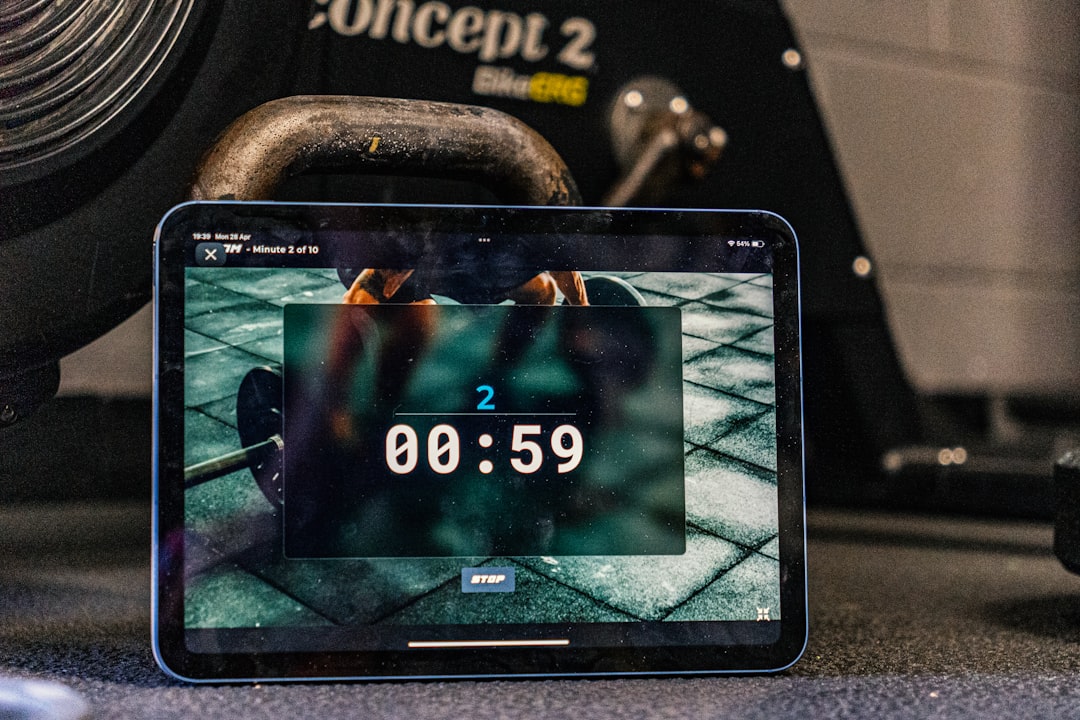
时间控制的艺术
在 Web 开发中,我们经常需要控制代码的执行时机——也许是延迟几秒后显示一个提示,也许是每隔一段时间刷新数据,又或者是在用户停止输入后才发起搜索请求。JavaScript 提供了一套优雅的定时器 API,让我们能够精确地编排代码在时间轴上的表演。
这就像一个乐团指挥,手中的指挥棒不是用来演奏音乐,而是用来告诉每个乐器何时该发声。setTimeout 和 setInterval 就是我们手中的指挥棒,让代码在正确的时刻开始执行。
setTimeout:延迟执行大师
setTimeout 是最基础的定时器,它允许你在指定的时间后执行一段代码。这个函数接收两个主要参数:要执行的函数和延迟的毫秒数。
基础用法
// 最简单的用法:3秒后执行函数
setTimeout(function () {
  console.log("3秒过去了!");
}, 3000);

// 使用箭头函数更简洁
setTimeout(() => {
  console.log("欢迎回来!");
}, 2000);

// 也可以传递一个命名函数
function greet() {
  console.log("Hello, World!");
}
setTimeout(greet, 1000);当调用 setTimeout 时,JavaScript 会在指定时间后将你的函数放入任务队列。需要注意的是,如果主线程正在忙于其他事务,实际执行时间可能会稍有延迟。
传递参数
setTimeout 支持在回调函数中使用额外的参数:
// 直接传递参数给回调函数
function sendMessage(recipient, message) {
  console.log(`To ${recipient}: ${message}`);
}

setTimeout(sendMessage, 1000, "Sarah", "Meeting at 3pm");
// 1秒后输出: To Sarah: Meeting at 3pm

// 使用箭头函数包装(更常见的做法)
const user = { name: "Michael", email: "[email protected]" };

setTimeout(() => {
  console.log(`Sending email to ${user.name}`);
  // 发送邮件的逻辑...
}, 2000);清除定时器
每个 setTimeout 调用都会返回一个唯一的定时器 ID,你可以用它来取消尚未执行的定时器:
// 创建一个可取消的定时器
const timerId = setTimeout(() => {
  console.log("这条消息可能不会出现");
}, 5000);

// 在3秒后取消定时器
setTimeout(() => {
  clearTimeout(timerId);
  console.log("定时器已取消");
}, 3000);

// 实际应用:可取消的操作
class CancellableOperation {
  constructor() {
    this.timerId = null;
  }

  scheduleTask(callback, delay) {
    // 如果已有待执行的任务,先取消
    if (this.timerId) {
      clearTimeout(this.timerId);
    }

    this.timerId = setTimeout(() => {
      callback();
      this.timerId = null;
    }, delay);
  }

  cancel() {
    if (this.timerId) {
      clearTimeout(this.timerId);
      this.timerId = null;
      console.log("操作已取消");
    }
  }
}

// 使用示例
const operation = new CancellableOperation();
operation.scheduleTask(() => console.log("任务执行"), 5000);
// 用户改变主意...
operation.cancel();零延迟的真相
当你将延迟设置为 0 时,代码并不会立即执行:
console.log("1. 开始");

setTimeout(() => {
  console.log("3. setTimeout 回调");
}, 0);

console.log("2. 结束");

// 输出顺序:
// 1. 开始
// 2. 结束
// 3. setTimeout 回调这是因为 setTimeout 的回调总是被放入任务队列,等待当前执行栈清空后才会执行。即使延迟是 0,它也要等到同步代码执行完毕。这个特性常被用来将代码推迟到下一个事件循环周期执行。
// 利用零延迟打破长任务
function processLargeArray(array) {
  const chunks = [];
  const chunkSize = 1000;

  for (let i = 0; i < array.length; i += chunkSize) {
    chunks.push(array.slice(i, i + chunkSize));
  }

  function processChunk(index) {
    if (index >= chunks.length) {
      console.log("处理完成!");
      return;
    }

    // 处理当前块
    chunks[index].forEach((item) => {
      // 处理每个元素
    });

    // 使用 setTimeout 让出主线程,避免阻塞 UI
    setTimeout(() => processChunk(index + 1), 0);
  }

  processChunk(0);
}setInterval:循环执行专家
setInterval 用于以固定的时间间隔重复执行代码,非常适合需要周期性运行的任务。
基础用法
// 每秒更新一次时钟
function updateClock() {
  const now = new Date();
  console.log(now.toLocaleTimeString());
}

const clockInterval = setInterval(updateClock, 1000);

// 每5秒检查一次新消息
const messageChecker = setInterval(() => {
  console.log("检查新消息...");
  // 实际的消息检查逻辑
}, 5000);停止间隔器
与 setTimeout 类似,setInterval 也返回一个 ID,用于停止循环:
// 倒计时示例
function createCountdown(seconds) {
  let remaining = seconds;

  const intervalId = setInterval(() => {
    console.log(`剩余时间: ${remaining}秒`);
    remaining--;

    if (remaining < 0) {
      clearInterval(intervalId);
      console.log("时间到!");
    }
  }, 1000);

  // 返回控制对象
  return {
    stop() {
      clearInterval(intervalId);
      console.log("倒计时已停止");
    },
    getRemaining() {
      return remaining;
    },
  };
}

// 使用示例
const countdown = createCountdown(10);

// 可以随时停止
setTimeout(() => {
  countdown.stop();
}, 5000);setInterval 的陷阱
setInterval 有一个容易被忽视的问题:如果回调函数的执行时间超过了间隔时间,会导致回调堆积。
// 问题示例:回调执行时间可能超过间隔
setInterval(() => {
  // 假设这个操作需要 1.5 秒
  const startTime = Date.now();
  while (Date.now() - startTime < 1500) {
    // 模拟耗时操作
  }
  console.log("完成一次操作");
}, 1000);
// 回调会堆积,导致性能问题

// 更好的方案:使用递归的 setTimeout
function betterInterval(callback, delay) {
  let timerId;

  function execute() {
    callback();
    timerId = setTimeout(execute, delay);
  }

  timerId = setTimeout(execute, delay);

  return {
    stop() {
      clearTimeout(timerId);
    },
  };
}

// 使用递归 setTimeout,确保每次执行完成后才安排下一次
const task = betterInterval(() => {
  console.log("安全执行", new Date().toISOString());
  // 即使这里的操作耗时较长,也不会导致回调堆积
}, 1000);requestAnimationFrame:动画的最佳拍档
对于动画而言,setTimeout 和 setInterval 并不是最佳选择。requestAnimationFrame 专门为动画设计,它会在浏览器下一次重绘之前调用你的回调函数,通常是每秒 60 次(60fps)。
为什么选择 requestAnimationFrame
// 使用 setInterval 的动画(不推荐)
function animateWithInterval() {
  let position = 0;
  const element = document.querySelector(".box");

  setInterval(() => {
    position += 1;
    element.style.transform = `translateX(${position}px)`;
  }, 16); // 试图达到 60fps
}

// 使用 requestAnimationFrame 的动画(推荐)
function animateWithRAF() {
  let position = 0;
  const element = document.querySelector(".box");

  function animate() {
    position += 1;
    element.style.transform = `translateX(${position}px)`;

    if (position < 300) {
      requestAnimationFrame(animate);
    }
  }

  requestAnimationFrame(animate);
}requestAnimationFrame 的优势:
- 与屏幕刷新同步:动画更流畅,无撕裂
- 自动暂停:页面不可见时自动停止,节省资源
- 电池友好:移动设备上更省电
- 性能优化:浏览器可以将多个动画合并处理
基于时间的动画
使用 requestAnimationFrame 时,应该基于实际经过的时间来计算动画进度,而不是假设固定的帧率:
function createAnimation(element, duration, distance) {
  let startTime = null;

  function animate(currentTime) {
    if (!startTime) {
      startTime = currentTime;
    }

    // 计算经过的时间
    const elapsed = currentTime - startTime;
    // 计算进度(0 到 1)
    const progress = Math.min(elapsed / duration, 1);

    // 应用缓动函数(这里使用简单的 ease-out)
    const easeOut = 1 - Math.pow(1 - progress, 3);

    // 计算当前位置
    const currentPosition = distance * easeOut;
    element.style.transform = `translateX(${currentPosition}px)`;

    // 如果动画未完成,继续
    if (progress < 1) {
      requestAnimationFrame(animate);
    }
  }

  requestAnimationFrame(animate);
}

// 使用示例
const box = document.querySelector(".animated-box");
createAnimation(box, 2000, 400); // 2秒内移动400px取消动画
class Animation {
  constructor(element) {
    this.element = element;
    this.animationId = null;
    this.isRunning = false;
  }

  start() {
    if (this.isRunning) return;

    this.isRunning = true;
    let rotation = 0;

    const rotate = () => {
      rotation += 2;
      this.element.style.transform = `rotate(${rotation}deg)`;

      if (this.isRunning) {
        this.animationId = requestAnimationFrame(rotate);
      }
    };

    this.animationId = requestAnimationFrame(rotate);
  }

  stop() {
    this.isRunning = false;
    if (this.animationId) {
      cancelAnimationFrame(this.animationId);
      this.animationId = null;
    }
  }
}

// 使用
const spinner = new Animation(document.querySelector(".spinner"));
spinner.start();

// 5秒后停止
setTimeout(() => spinner.stop(), 5000);实用模式:防抖与节流
定时器最常用的应用场景之一就是控制高频事件的触发频率。
防抖(Debounce)
防抖的核心思想是:在事件停止触发一段时间后才执行回调。这就像电梯门——只有当没人进出一段时间后,门才会关闭。
function debounce(func, delay, immediate = false) {
  let timerId = null;

  return function (...args) {
    const context = this;

    // 是否立即执行
    const callNow = immediate && !timerId;

    // 清除之前的定时器
    clearTimeout(timerId);

    // 设置新的定时器
    timerId = setTimeout(() => {
      timerId = null;
      if (!immediate) {
        func.apply(context, args);
      }
    }, delay);

    // 立即执行
    if (callNow) {
      func.apply(context, args);
    }
  };
}

// 实际应用:搜索输入
const searchInput = document.querySelector("#search");
const searchResults = document.querySelector("#results");

const performSearch = debounce(async function (query) {
  console.log(`搜索: ${query}`);
  // 实际的搜索 API 调用
  // const results = await fetch(`/api/search?q=${query}`);
  searchResults.textContent = `显示 "${query}" 的结果`;
}, 300);

searchInput.addEventListener("input", (e) => {
  performSearch(e.target.value);
});

// 实际应用:窗口大小调整
const handleResize = debounce(() => {
  console.log("窗口大小已稳定");
  // 重新计算布局
}, 250);

window.addEventListener("resize", handleResize);节流(Throttle)
节流的核心思想是:确保函数在指定时间内最多执行一次。这就像水龙头的流量控制——不管你怎么拧,水流速度都有个上限。
function throttle(func, limit) {
  let inThrottle = false;
  let lastArgs = null;
  let lastThis = null;

  return function (...args) {
    if (inThrottle) {
      // 保存最后一次调用的参数
      lastArgs = args;
      lastThis = this;
      return;
    }

    func.apply(this, args);
    inThrottle = true;

    setTimeout(() => {
      inThrottle = false;
      // 如果在节流期间有调用,执行最后一次
      if (lastArgs) {
        func.apply(lastThis, lastArgs);
        lastArgs = null;
        lastThis = null;
      }
    }, limit);
  };
}

// 实际应用:滚动事件
const handleScroll = throttle(() => {
  const scrollPercent =
    (window.scrollY /
      (document.documentElement.scrollHeight - window.innerHeight)) *
    100;
  console.log(`滚动进度: ${scrollPercent.toFixed(1)}%`);
}, 100);

window.addEventListener("scroll", handleScroll);

// 实际应用:按钮点击防止重复提交
const submitButton = document.querySelector("#submit");

const handleSubmit = throttle(async () => {
  console.log("提交表单...");
  submitButton.textContent = "提交中...";
  submitButton.disabled = true;

  try {
    // await submitForm();
    console.log("提交成功");
  } finally {
    submitButton.textContent = "提交";
    submitButton.disabled = false;
  }
}, 2000);

submitButton.addEventListener("click", handleSubmit);防抖 vs 节流:何时使用
| 场景 | 推荐方案 | 理由 |
|---|---|---|
| 搜索输入 | 防抖 | 用户停止输入后才搜索 |
| 窗口 resize | 防抖 | 等待调整完成后再计算 |
| 按钮提交 | 节流 | 防止重复点击 |
| 滚动加载 | 节流 | 定期检查位置 |
| 鼠标移动 | 节流 | 限制事件触发频率 |
| 表单验证 | 防抖 | 用户停止输入后验证 |
定时器的精度问题
JavaScript 定时器并不保证精确执行,尤其在高负载或后台标签页中:
// 演示定时器精度
function testTimerAccuracy() {
  let count = 0;
  const expectedInterval = 100;
  let lastTime = Date.now();
  const drifts = [];

  const intervalId = setInterval(() => {
    const now = Date.now();
    const actualInterval = now - lastTime;
    const drift = actualInterval - expectedInterval;
    drifts.push(drift);
    lastTime = now;
    count++;

    if (count >= 20) {
      clearInterval(intervalId);

      const avgDrift = drifts.reduce((a, b) => a + b, 0) / drifts.length;
      console.log(`平均偏差: ${avgDrift.toFixed(2)}ms`);
      console.log(`最大偏差: ${Math.max(...drifts)}ms`);
      console.log(`最小偏差: ${Math.min(...drifts)}ms`);
    }
  }, expectedInterval);
}

testTimerAccuracy();自校准定时器
对于需要精确计时的场景,可以实现自校准定时器:
function createPreciseInterval(callback, interval) {
  let expected = Date.now() + interval;
  let timeoutId;

  function step() {
    const drift = Date.now() - expected;
    callback();

    expected += interval;
    // 下次执行时间减去漂移量,进行校准
    const nextDelay = Math.max(0, interval - drift);
    timeoutId = setTimeout(step, nextDelay);
  }

  timeoutId = setTimeout(step, interval);

  return {
    stop() {
      clearTimeout(timeoutId);
    },
  };
}

// 使用精确定时器
const preciseTimer = createPreciseInterval(() => {
  console.log("精确执行:", Date.now());
}, 1000);

// 10秒后停止
setTimeout(() => preciseTimer.stop(), 10000);实际应用场景
轮询机制
class Poller {
  constructor(options = {}) {
    this.url = options.url;
    this.interval = options.interval || 5000;
    this.onData = options.onData || (() => {});
    this.onError = options.onError || console.error;
    this.maxRetries = options.maxRetries || 3;

    this.timerId = null;
    this.retryCount = 0;
    this.isRunning = false;
  }

  async poll() {
    try {
      const response = await fetch(this.url);
      const data = await response.json();

      this.retryCount = 0; // 重置重试计数
      this.onData(data);
    } catch (error) {
      this.retryCount++;

      if (this.retryCount >= this.maxRetries) {
        this.onError(new Error("达到最大重试次数"));
        this.stop();
        return;
      }

      this.onError(error);
    }

    if (this.isRunning) {
      this.timerId = setTimeout(() => this.poll(), this.interval);
    }
  }

  start() {
    if (this.isRunning) return;

    this.isRunning = true;
    this.poll();
    console.log("轮询已启动");
  }

  stop() {
    this.isRunning = false;
    if (this.timerId) {
      clearTimeout(this.timerId);
      this.timerId = null;
    }
    console.log("轮询已停止");
  }
}

// 使用示例
const notificationPoller = new Poller({
  url: "/api/notifications",
  interval: 10000,
  onData: (data) => {
    console.log("收到新通知:", data);
    // 更新 UI
  },
  onError: (error) => {
    console.warn("轮询出错:", error.message);
  },
});

// 页面加载时启动
notificationPoller.start();

// 页面隐藏时暂停
document.addEventListener("visibilitychange", () => {
  if (document.hidden) {
    notificationPoller.stop();
  } else {
    notificationPoller.start();
  }
});打字机效果
function typeWriter(element, text, speed = 50) {
  return new Promise((resolve) => {
    let index = 0;
    element.textContent = "";

    function type() {
      if (index < text.length) {
        element.textContent += text.charAt(index);
        index++;
        setTimeout(type, speed);
      } else {
        resolve();
      }
    }

    type();
  });
}

// 使用示例
async function showMessages() {
  const display = document.querySelector("#typewriter");

  await typeWriter(display, "Welcome to our website!", 80);
  await new Promise((resolve) => setTimeout(resolve, 1000));
  await typeWriter(display, "How can we help you today?", 60);
}

showMessages();自动保存
class AutoSave {
  constructor(options = {}) {
    this.saveFunction = options.save;
    this.delay = options.delay || 3000;
    this.timerId = null;
    this.lastSavedData = null;
  }

  trigger(data) {
    // 如果数据没变化,不需要保存
    if (JSON.stringify(data) === JSON.stringify(this.lastSavedData)) {
      return;
    }

    // 清除之前的定时器
    if (this.timerId) {
      clearTimeout(this.timerId);
    }

    // 设置新的定时器
    this.timerId = setTimeout(async () => {
      try {
        await this.saveFunction(data);
        this.lastSavedData = JSON.parse(JSON.stringify(data));
        console.log("自动保存成功");
      } catch (error) {
        console.error("自动保存失败:", error);
      }
    }, this.delay);
  }

  saveNow(data) {
    if (this.timerId) {
      clearTimeout(this.timerId);
      this.timerId = null;
    }

    return this.saveFunction(data);
  }
}

// 使用示例
const autoSave = new AutoSave({
  delay: 2000,
  save: async (data) => {
    // 保存到服务器
    // await fetch('/api/save', { method: 'POST', body: JSON.stringify(data) });
    console.log("保存数据:", data);
  },
});

// 文档编辑器场景
const editor = document.querySelector("#editor");
editor.addEventListener("input", () => {
  autoSave.trigger({ content: editor.value });
});

// 页面关闭前立即保存
window.addEventListener("beforeunload", () => {
  autoSave.saveNow({ content: editor.value });
});常见问题与最佳实践
this 绑定问题
const timer = {
  count: 0,

  start() {
    // 问题:this 丢失
    setInterval(function () {
      this.count++; // this 是 window,不是 timer
      console.log(this.count); // NaN
    }, 1000);
  },

  startCorrect1() {
    // 方案1:使用箭头函数
    setInterval(() => {
      this.count++;
      console.log(this.count);
    }, 1000);
  },

  startCorrect2() {
    // 方案2:保存 this 引用
    const self = this;
    setInterval(function () {
      self.count++;
      console.log(self.count);
    }, 1000);
  },

  startCorrect3() {
    // 方案3:使用 bind
    setInterval(
      function () {
        this.count++;
        console.log(this.count);
      }.bind(this),
      1000
    );
  },
};内存泄漏防范
// 组件销毁时清理定时器
class Component {
  constructor() {
    this.timers = [];
  }

  setTimeout(callback, delay) {
    const id = setTimeout(callback, delay);
    this.timers.push({ type: "timeout", id });
    return id;
  }

  setInterval(callback, delay) {
    const id = setInterval(callback, delay);
    this.timers.push({ type: "interval", id });
    return id;
  }

  destroy() {
    this.timers.forEach((timer) => {
      if (timer.type === "timeout") {
        clearTimeout(timer.id);
      } else {
        clearInterval(timer.id);
      }
    });
    this.timers = [];
    console.log("所有定时器已清理");
  }
}

// 使用示例
const component = new Component();
component.setInterval(() => console.log("运行中..."), 1000);
component.setTimeout(() => console.log("延迟执行"), 5000);

// 组件销毁时
// component.destroy();最小延迟限制
浏览器对定时器有最小延迟限制,嵌套的定时器(超过 5 层)最小延迟为 4ms:
let start = Date.now();
let delays = [];

function nested(n) {
  if (n <= 0) {
    console.log("延迟记录:", delays);
    return;
  }

  const before = Date.now();
  setTimeout(() => {
    const delay = Date.now() - before;
    delays.push(delay);
    nested(n - 1);
  }, 0);
}

nested(10);
// 前几次延迟较小,后面会增加到 4ms 以上总结
定时器是 JavaScript 中控制代码执行时机的核心工具。setTimeout 适合延迟执行,setInterval 适合周期任务,而 requestAnimationFrame 则是动画的首选。掌握防抖和节流模式,可以优雅地处理高频事件。
关键要点:
- 定时器回调总是异步执行,即使延迟为 0
- 使用
requestAnimationFrame替代定时器做动画 - 防抖适合等待用户停止操作,节流适合限制执行频率
- 注意清理定时器以避免内存泄漏
- 定时器精度不是绝对的,关键场景需要自校准
时间是代码执行的第四维度,善用定时器,让你的代码在正确的时刻绽放光彩。